
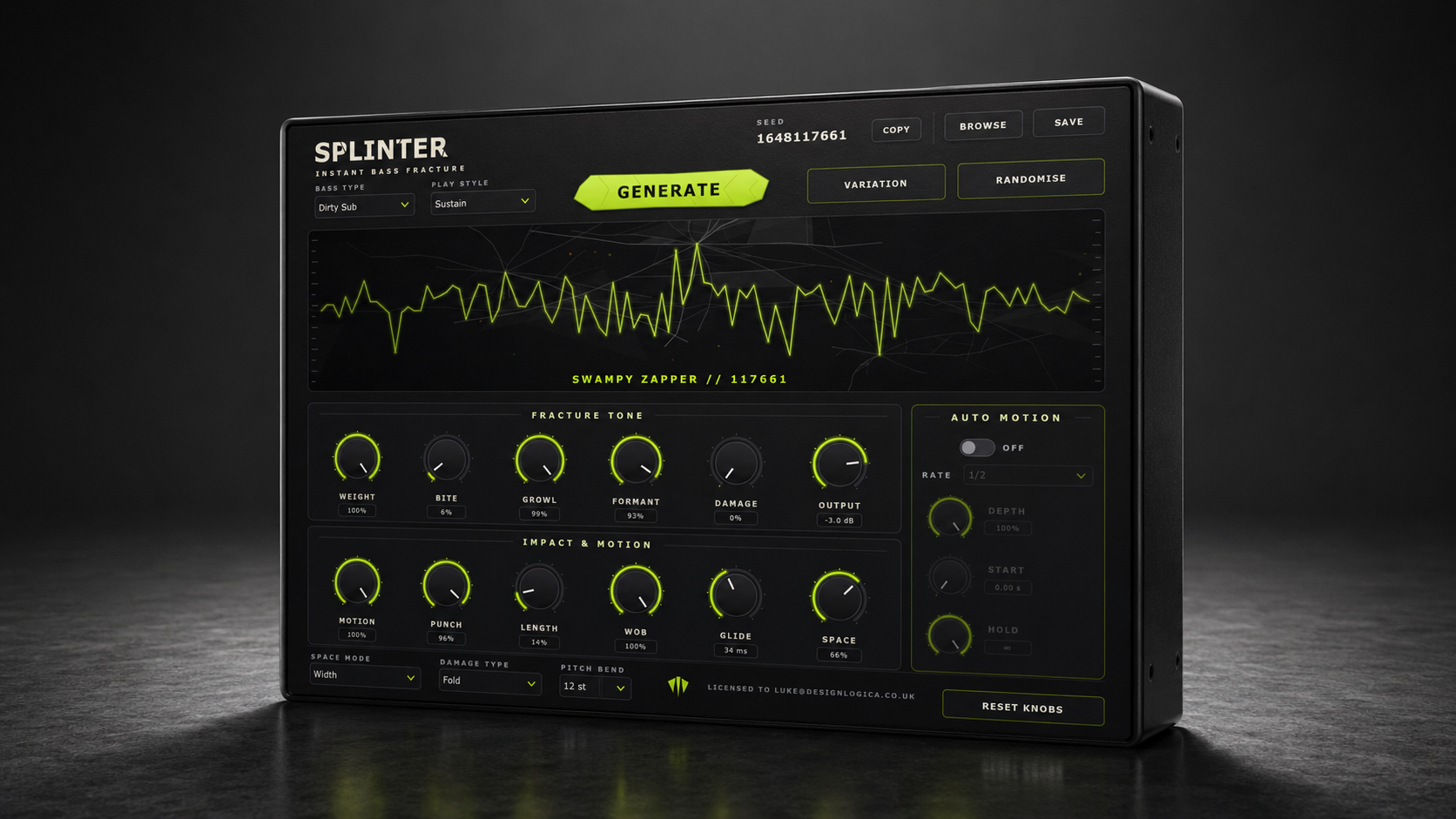

Splinter is a generative bass synthesizer built for creating heavyweight sounds in seconds. Choose a bass type and play style, hit Generate, and instantly produce a unique, playable patch—from filthy growls and vocal wubs to metallic tearouts and dirty subs. Shape every result with focused controls for weight, bite, formant, damage, motion and space. Create related variations, dial in tempo-synced movement, or save the exact seed to return to any sound whenever inspiration strikes.
Launching 1 October 2026
Splinter Generator Demo
Lots of generated sounds, messing around on a keyboard.
Built for fast decisions
Fast starting points, focused control and reliable recall
- Fresh bass on demand
Choose a bass type and play style, then hit Generate. Splinter builds a complete, playable patch in seconds.
- Nine bass personalities
Explore Growl, Yoy, Metallic, Tearout, Riddim, Neuro, Vocal, Laser and Dirty Sub—each with its own distinct character.
- Controlled chaos
Create a related Variation that preserves the patch’s identity, or randomise the controls to send it somewhere unexpected.
- Shape the fracture
Sculpt Weight, Bite, Growl, Formant and Damage using focused macro controls made for fast, musical decisions.
- Motion on demand
Create tempo-synced wob with control over Rate, Depth, Start and Hold, placing movement exactly where the groove needs it.
- Never lose a sound
Every generated patch is tied to a reproducible seed. Copy it, revisit it or save the finished preset whenever something hits.
INSTANT INSPIRATION
How Splinter works
1. Choose the direction
2. Generate and explore
3. Shape and save
Get Splinter
VST3 · AU · Standalone · Licence key delivered to My Products.